

Quick answer: A FireWire device can connect to a modern computer only when the computer, adapter chain, operating system, and device driver all support IEEE 1394. A cable that merely changes the connector from FireWire to USB does not convert the protocol. The most reliable options are a native FireWire port, a supported PCIe IEEE 1394 card, a compatible Thunderbolt-to-FireWire adapter chain, or an older computer used for data migration.
This guide focuses on connection and troubleshooting. For connector types and protocol background, see the FireWire cable types and compatibility guide.
FireWire is the common name for IEEE 1394. Before buying a cable or adapter, identify both the device connector and the host-computer interface.
| Version | Common connector | Maximum signaling rate | Important note |
|---|---|---|---|
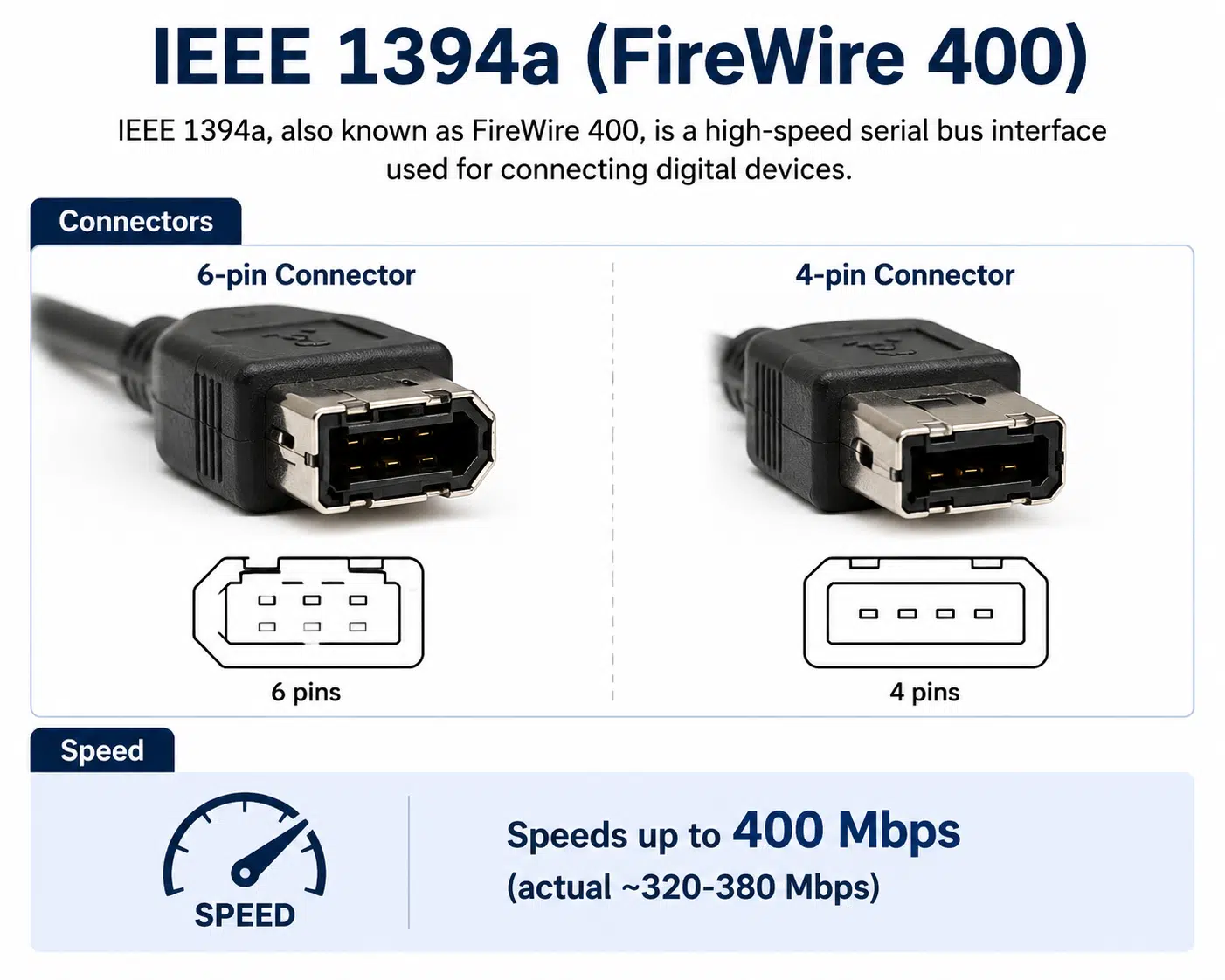
| IEEE 1394a / FireWire 400 | 4-pin or 6-pin | Up to 400 Mbit/s | The 4-pin connector normally carries data only; 6-pin ports may provide bus power |
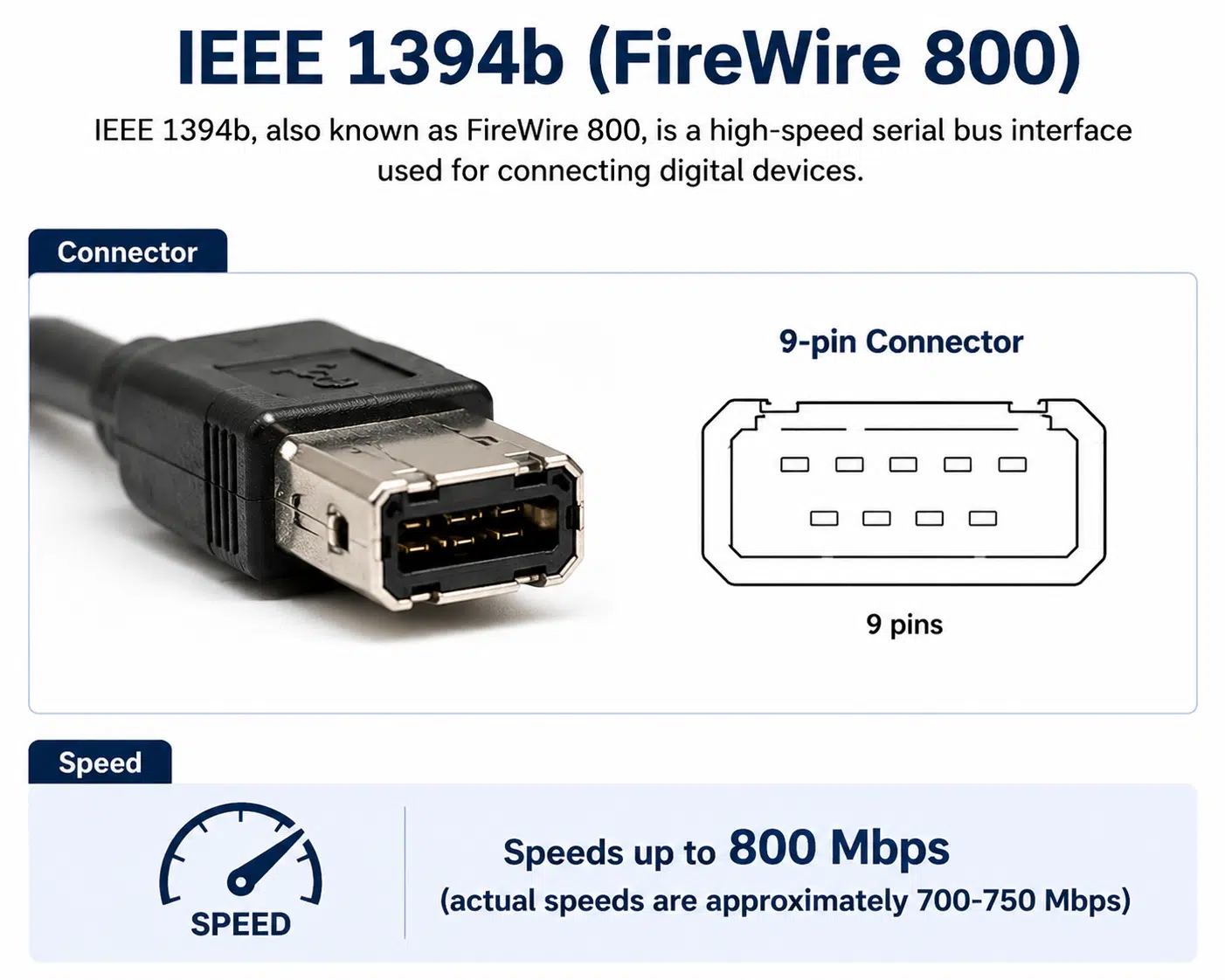
| IEEE 1394b / FireWire 800 | 9-pin | Up to 800 Mbit/s | Backward-compatible connections require the correct bilingual cable or adapter |
These are interface signaling limits, not guaranteed file-transfer speeds. Device electronics, storage media, adapter chains, drivers, and software can reduce real throughput.
An older workstation with a built-in IEEE 1394 port is usually the simplest path. It is often useful for transferring video or files from legacy equipment before moving the data to modern storage.
A desktop computer may accept a PCIe IEEE 1394 controller card. Check the card chipset, available slot, operating-system driver, internal power connector, and device compatibility before purchase. A card being physically installable does not guarantee that a legacy camera or audio interface will have a supported driver.
Some Mac and workstation configurations can use a Thunderbolt-to-FireWire adapter, sometimes combined with a Thunderbolt-generation adapter. This works only when the computer has Thunderbolt rather than a USB-C connector with USB support alone, and when the operating system still supports the controller and device.
For one-time recovery, use a known-working FireWire computer to copy data to USB storage, a network share, or another supported medium. This is often more dependable than building a long adapter chain around unsupported hardware.
FireWire and USB use different host-controller architectures, signaling, power behavior, and communication protocols. A passive cable cannot translate between them. Products advertised as simple FireWire-to-USB cables may fit the ports physically but normally do not make a FireWire camera, drive, or audio interface appear as a USB device.
A functional conversion requires active electronics designed for a specific use case, such as video capture. Even then, the converter may support only one data format or device class, not general FireWire communication.
Custom cable length, shielding, connector orientation, and strain relief should be reviewed as part of the complete connection. The cable assembly specification guide covers related design inputs.
Controller support and device support are separate. The operating system may recognize an IEEE 1394 controller while the camera, audio interface, or storage device still requires unavailable vendor software.
| Gejala | Likely causes | Checks |
|---|---|---|
| No controller detected | Unsupported card, disabled slot, missing controller driver, adapter problem | Check firmware settings, system information, PCIe installation, and Thunderbolt detection |
| Controller detected but device missing | Wrong cable, device driver, device power, damaged port, unsupported hardware | Test another known-good cable, port, computer, and power supply |
| Intermittent disconnects | Loose connector, damaged cable, bus-power limit, adapter chain, power management | Use external power, shorten the chain, inspect connectors, and review power settings |
| Video capture stops | Software support, storage speed, dropped frames, device-control incompatibility | Test a short capture, local drive, supported format, and alternative capture software |
| Audio clicks or dropouts | Driver, clocking, buffer settings, daisy chain, adapter compatibility | Confirm vendor driver, sample rate, clock source, buffer, and direct connection |
| Drive mounts but files are unavailable | Unsupported file system, failing drive, permissions, disk damage | Avoid reformatting; use a compatible computer and consider data-recovery procedures |
Many FireWire 400 devices can connect to a FireWire 800 port using the correct 4-pin-to-9-pin or 6-pin-to-9-pin bilingual cable. The connection operates at the speed supported by the slower device and link. Confirm bus-power requirements because a 4-pin device connection does not carry power.
A custom IEEE 1394 cable may help when the device and computer already support FireWire but require a specific connector combination, length, shielding construction, routing, or strain relief. A custom cable cannot create missing operating-system support or convert FireWire into USB.
A controlled custom cable assembly process should confirm connector type, pinout, power conductors, cable length, shielding, bend requirements, and electrical test criteria. A perakitan kabel prototipe can verify fit and device recognition before production.
For new equipment, compare modern cable and harness options in the WIRES product directory.
Often yes, with the correct bilingual cable or adapter. The link runs at the rate supported by the slower device and connection.
No for general FireWire devices. A passive cable does not convert the IEEE 1394 protocol into USB.
No. USB-C describes the connector shape. Confirm that the computer specifically supports the Thunderbolt version required by the adapter chain.
Normally no. A 4-pin FireWire connector carries data without the bus-power conductors found on powered 6-pin or 9-pin connections.
It depends on the controller chipset, operating-system support, card driver, and the legacy device’s own driver or software.
The controller may be working while the device driver, application, file system, firmware, or capture workflow is unsupported.
Follow the device manufacturer’s instructions. Powered FireWire connections can be damaged by worn connectors, incorrect insertion, or faulty cables, so powered-down connection is safer when the documentation is unclear.
No. A custom cable can solve connector, length, shielding, routing, or strain-relief requirements, but it cannot replace missing controller or device software support.
Provide the device model, connector type, pinout, power requirement, target computer, operating system, cable length, and test requirements. Contact WIRES for a custom legacy cable assembly review.
 English English
 Vietnamese
 Indonesian
 Arabic
 Spanish