

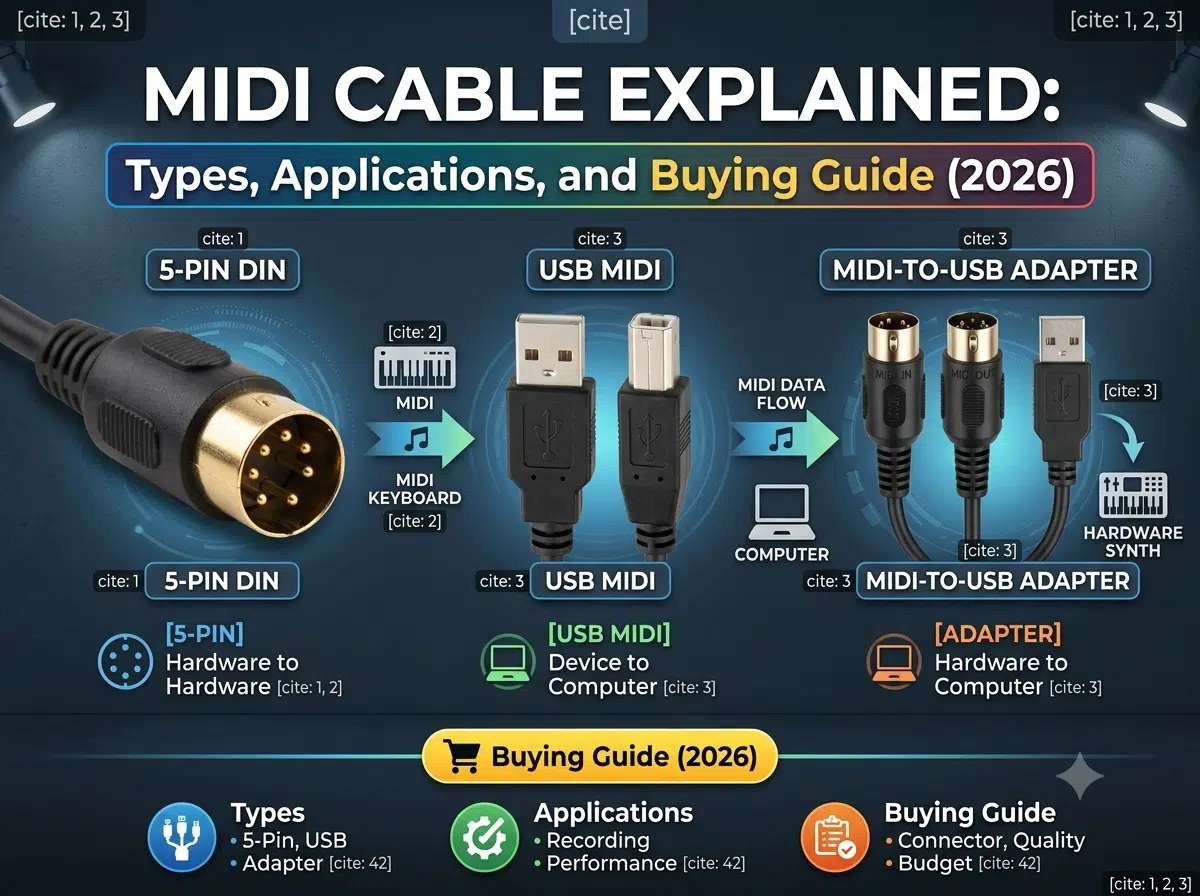
A MIDI cable carries musical performance and control data between compatible instruments, controllers, interfaces, and computers; it does not carry the instrument’s audio. Choose one by the ports on both devices, the MIDI transport, signal direction, TRS mapping when applicable, computer compatibility, required length, and installation conditions.
This MIDI cable guide compares 5-pin DIN, TRS, USB, and interface cables, then explains how to connect equipment, avoid incompatible adapters, troubleshoot common faults, and prepare a useful buying specification. Projects that need a special pinout, overmold, breakout, or equipment harness should also review the custom MIDI cable specification guide.
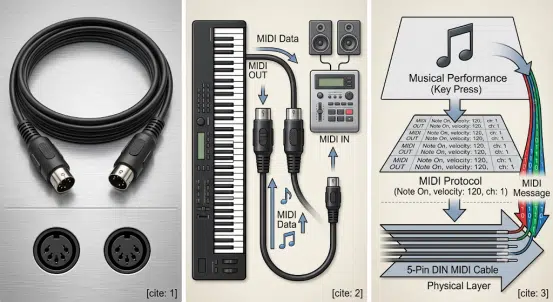
MIDI stands for Musical Instrument Digital Interface. It defines messages that describe musical actions and device control, including note on and off, velocity, pitch bend, controller changes, program changes, timing, and system data. The receiving instrument or software uses those messages to generate or control sound.
A MIDI cable is the physical connection for one supported MIDI transport. Traditional MIDI 1.0 uses a 5-pin DIN interface, while current equipment may also use TRS MIDI, USB-MIDI, direct USB device connections, network MIDI, or manufacturer-specific breakouts.
| MIDI carries | MIDI does not automatically carry |
|---|---|
| Note, velocity, controller, program, timing, and system messages | Analog audio from the instrument |
| Device control data supported by the sender and receiver | Functions that the connected equipment does not implement |
| Messages assigned to logical MIDI channels | Sixteen separate physical signal wires |
| Data through a supported DIN, TRS, USB, or network transport | Compatibility based only on connector shape |
A sending device creates MIDI messages and transmits them from MIDI Out. The receiving device accepts those messages at MIDI In. A keyboard can therefore control a synthesizer, a drum pad can trigger a sound module, or a computer interface can record and play back MIDI data.
Traditional MIDI 1.0 DIN communication uses an asynchronous serial rate of 31.25 kbit/s. One MIDI 1.0 port can identify 16 logical channels. These are established interface characteristics, but they do not guarantee timing, message support, or reliability for a particular setup. Device processing, routing, software, drivers, cable construction, and topology also matter.
| Port | Purpose | Typical connection |
|---|---|---|
| مخرج MIDI | Sends messages generated or routed by the device | Connect Out to another device’s In |
| مدخل MIDI | Receives MIDI messages | Connect from a sender’s Out or Thru |
| مرور MIDI | Forwards incoming messages, depending on device design | Connect to the next device’s In when the topology is suitable |
Do not connect Out to Out or In to In and expect communication. Also check whether a Thru function is implemented in hardware, firmware, or software. Long chains can add delay, filtering, configuration risk, and more points of failure.
| النوع | Common use | Key compatibility check |
|---|---|---|
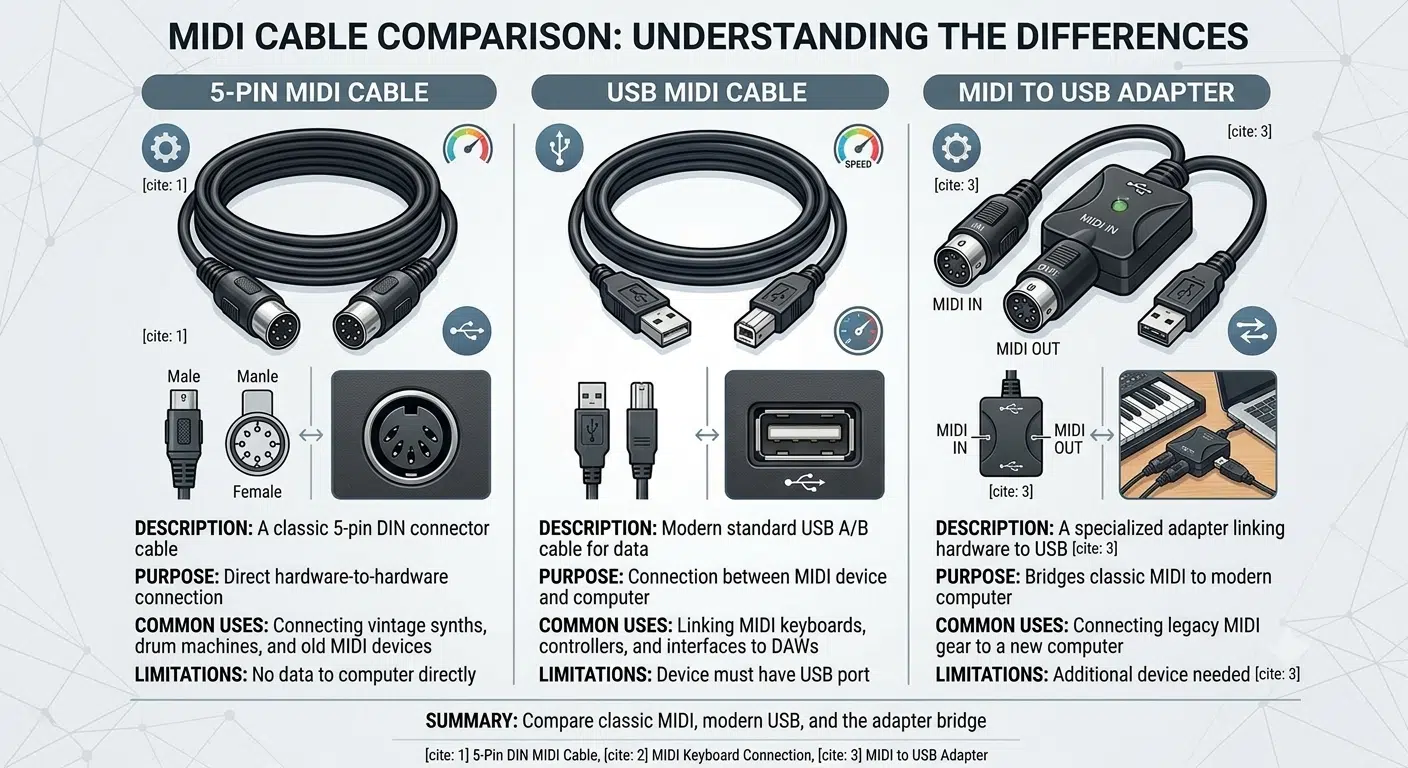
| 5-pin DIN MIDI cable | Keyboards, synthesizers, drum machines, controllers, effects, and interfaces | Both ports must support compatible DIN MIDI wiring and direction |
| TRS MIDI adapter or cable | Compact controllers, pedals, interfaces, and portable instruments | TRS diameter, Type A or Type B mapping, gender, and device model |
| USB-MIDI interface cable | Connecting DIN MIDI equipment to a computer or USB host | Active electronics, driver support, firmware, port direction, and required messages |
| Direct USB cable | Connecting a USB-capable instrument or controller directly to a computer or host | USB connector, host/device roles, operating-system support, class or driver, and power |
| MIDI breakout cable | Multiport interfaces, equipment panels, and integrated systems | Manufacturer-specific pinout, branch labels, direction, and connector assignment |
| Network MIDI connection | Studios, stages, and distributed systems using supported network protocols | Network hardware, protocol support, configuration, clocking, and security |
The 5-pin DIN connector is the traditional MIDI interface. A standard passive cable is often reversible as a physical assembly, but the system connection is directional: MIDI Out or Thru connects to MIDI In. Not every cable with a 5-pin DIN shell is wired for MIDI, so check the product description and connected equipment.
Legacy DIN-MIDI guidance commonly references about 15 m or 50 ft as a maximum under compliant conditions. Treat this as a qualified design reference rather than a promise. The transmitter, receiver, cable capacitance, connectors, shielding, routing, and electrical environment affect the practical result.
TRS MIDI uses a 2.5 mm or 3.5 mm tip-ring-sleeve connector on compact equipment. Type A and Type B route the MIDI circuit to different contacts. The plug may fit even when the mapping is wrong, so check the device manual and adapter pinout.
A TRS MIDI cable is not a stereo audio cable. The WIRES TS and TRS cable guide explains why connector shape does not define the electrical function.
A USB-MIDI interface contains active electronics that translate between USB and MIDI. It may have DIN plugs labeled In and Out, a small interface housing, and a USB connector for the computer. Compatibility depends on its chipset, firmware, USB descriptor, operating system, driver, power, supported MIDI messages, and direction labels.
A passive USB-to-DIN cable cannot perform protocol conversion. When selecting the computer side, compare the USB connector type and review the relevant USB cable assembly requirements. A USB-C connector does not by itself prove host support, power behavior, data mode, or MIDI compatibility.
Many controllers and instruments include a USB device port. In this setup, the correct USB cable connects the device to a compatible computer, tablet, phone, or hardware host. Confirm host and device roles, connector generation, operating-system support, class compliance or driver requirements, and whether the host can supply the required power.
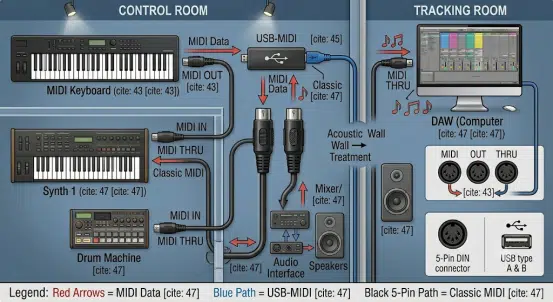
MIDI cables connect keyboards, pad controllers, synthesizers, drum machines, sound modules, and audio or MIDI interfaces. A computer may record MIDI separately from audio, allowing notes, timing, instruments, and controller data to be edited after a performance.
MIDI can change programs, synchronize tempo, trigger backing systems, control effects, and route performance data between keyboards and modules. Stage systems need clear direction labels, protected routing, strain relief, and a documented recovery plan.
Synthesizers, guitar processors, pedals, lighting controllers, and other supported devices may exchange program changes, controller data, clock, or system messages. The exact functions depend on each product’s MIDI implementation chart and configuration.
MIDI can be part of a larger control, audio, USB, and power assembly in an instrument, rack, kiosk, or industrial media system. In those cases, use the industrial AV cable assembly guide to plan grounding, routing, motion, connectors, and complete-system validation.
| ميزة | MIDI connection | Audio connection | USB connection |
|---|---|---|---|
| Primary purpose | Performance and control messages | Analog or digital audio signal | General digital data and possibly power |
| Common connectors | 5-pin DIN, TRS, USB through an interface, or a breakout | TS, TRS, XLR, RCA, optical, coaxial, or device-specific | USB-A, USB-B, USB-C, Micro USB, Mini USB, or device-specific |
| الاتجاه | Out or Thru to In | Source output to destination input | Determined by host/device roles and interface design |
| Passive conversion | Possible only between electrically compatible mappings | Depends on signal type, level, balance, and connector wiring | Connector adaptation cannot add an unsupported protocol |
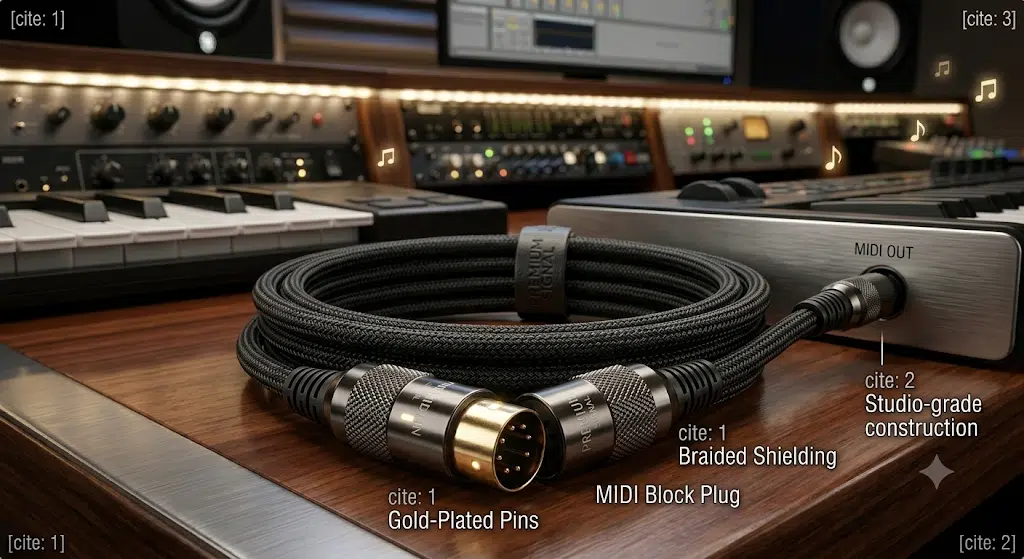
A metal shell, molded body, or gold-colored contact is not automatic proof of performance. Look for accurate connector fit, correct pin mapping, secure termination, appropriate strain transition, useful direction labels, and evidence that the assembly matches the intended environment.
و overmolded cable assembly can integrate strain relief, color, orientation, and identification for repeated handling. It still needs compatible materials, tooling, connector geometry, and project-specific validation.
Shielding should follow the applicable MIDI or equipment design rather than a universal braid percentage. Route cables to avoid unnecessary crushing, sharp bends, connector side load, and long parallel paths beside high-noise power equipment. The complete system grounding and device design determine whether a particular shield termination is appropriate.
| Problem | Possible causes | Checks |
|---|---|---|
| No notes or control response | Out connected to Out, wrong MIDI channel, disabled port, wrong TRS mapping, damaged cable, or unsupported setting | Confirm Out-to-In routing, channels, port mode, adapter type, and a known-compatible cable |
| USB interface is not detected | Driver, operating-system support, USB port, hub, power, firmware, or interface failure | Connect directly, review device status and driver support, and test cold-start and reconnect behavior |
| Stuck or missing notes | Message overload, software filtering, interface limitation, marginal connection, or device processing issue | Simplify the route, monitor MIDI data, compare direct and chained connections, and review filters |
| Clock is unstable | Multiple clock sources, long Thru chain, soft routing, USB scheduling, or software buffer settings | Select one clock source, simplify the topology, and test with representative message traffic |
| TRS adapter works on only one device | Different Type A/Type B mapping, connector diameter, gender, or proprietary wiring | Compare both device manuals and the adapter’s pin assignment |
| Fault appears when the cable moves | Intermittent conductor, termination fatigue, connector side load, or inadequate strain relief | Inspect the route and connectors, substitute a verified cable, and document movement-related failures |
For custom assemblies, WIRES can review the project through its custom cable process and build a تجميع كابل النموذج الأولي for fit and functional testing. Review the supplier’s cable and harness quality controls before production release. Continuity testing alone does not prove USB compatibility, MIDI message support, software behavior, timing, or complete-system reliability.
No. MIDI carries performance and control messages. Audio from the instrument requires a separate audio output unless the product uses another combined interface.
The traditional MIDI 1.0 hardware connector is 5-pin DIN. Current devices may also use TRS MIDI, USB, network MIDI, or a manufacturer-specific breakout, so check the exact model.
Yes, if the device has compatible direct USB support or you use a supported USB-MIDI interface. Confirm host roles, connector type, operating system, drivers, firmware, and required MIDI messages.
No. Type A and Type B use different contact mappings, and connector size or manufacturer wiring can also vary. Use the adapter type specified by the device maker.
Legacy DIN-MIDI guidance commonly references approximately 15 m or 50 ft under compliant conditions. Actual suitability depends on the devices, cable, connectors, routing, noise environment, and validation. USB, TRS, and network transports have their own limits.
Not automatically. Timing also depends on device processing, message traffic, Thru implementation, USB scheduling, drivers, software, and buffer settings. A correctly built compatible cable prevents wiring problems but cannot eliminate all system latency.
Provide device models, port photos, transport, pinout, direction, connector part numbers, length, orientation, environment, labeling, expected order range, and required tests.
For a standard setup, match the exact ports, direction, transport, and device documentation. For integrated equipment or a special connector, define the pinout, routing, mechanical features, and validation plan before ordering. Contact WIRES with your device models, port photos, required length, and connection diagram for a cable review.
 English English
 Vietnamese
 Indonesian
 Arabic
 Spanish