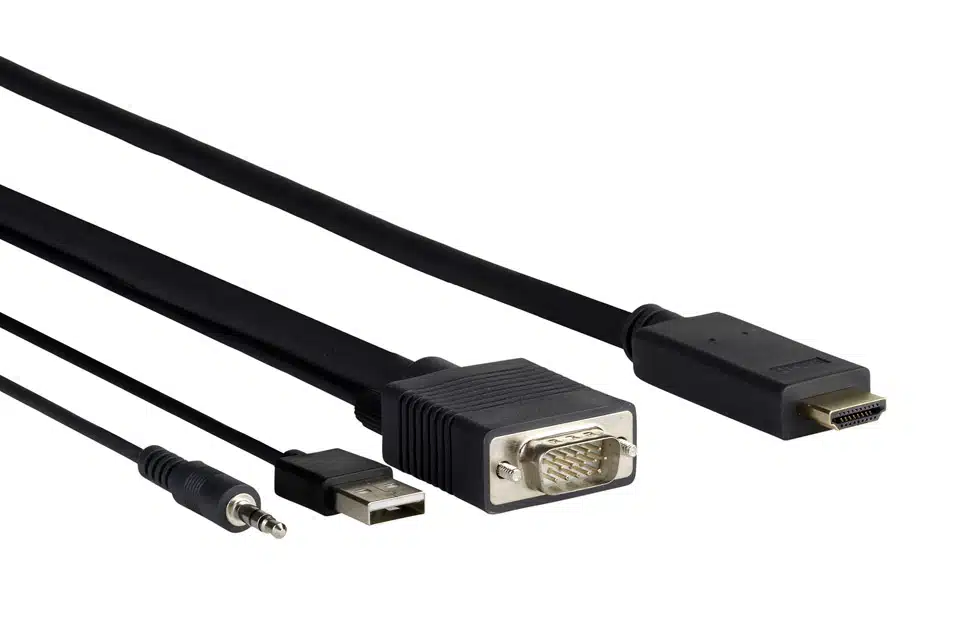


In many project installations, AV cables are easily overlooked until the system suffers from screen flickers or signal drops.
As a factory with 28 years of experience making top-tier wire harnesses, WIRES strictly follows IATF 16949 and IPC-A-620 Class 3 standards to provide you with high-quality, durable, and custom AV cables.
Simply put, AV cables are the wires that carry pictures and sound between different machines in a media or control system.
Their main job is to connect the AV output of a source device (like a camera or player) straight to the AV input of a display or processor.
Most of us have played around with basic AV cables when setting up a home gaming console, a TV box, or a DVD player.
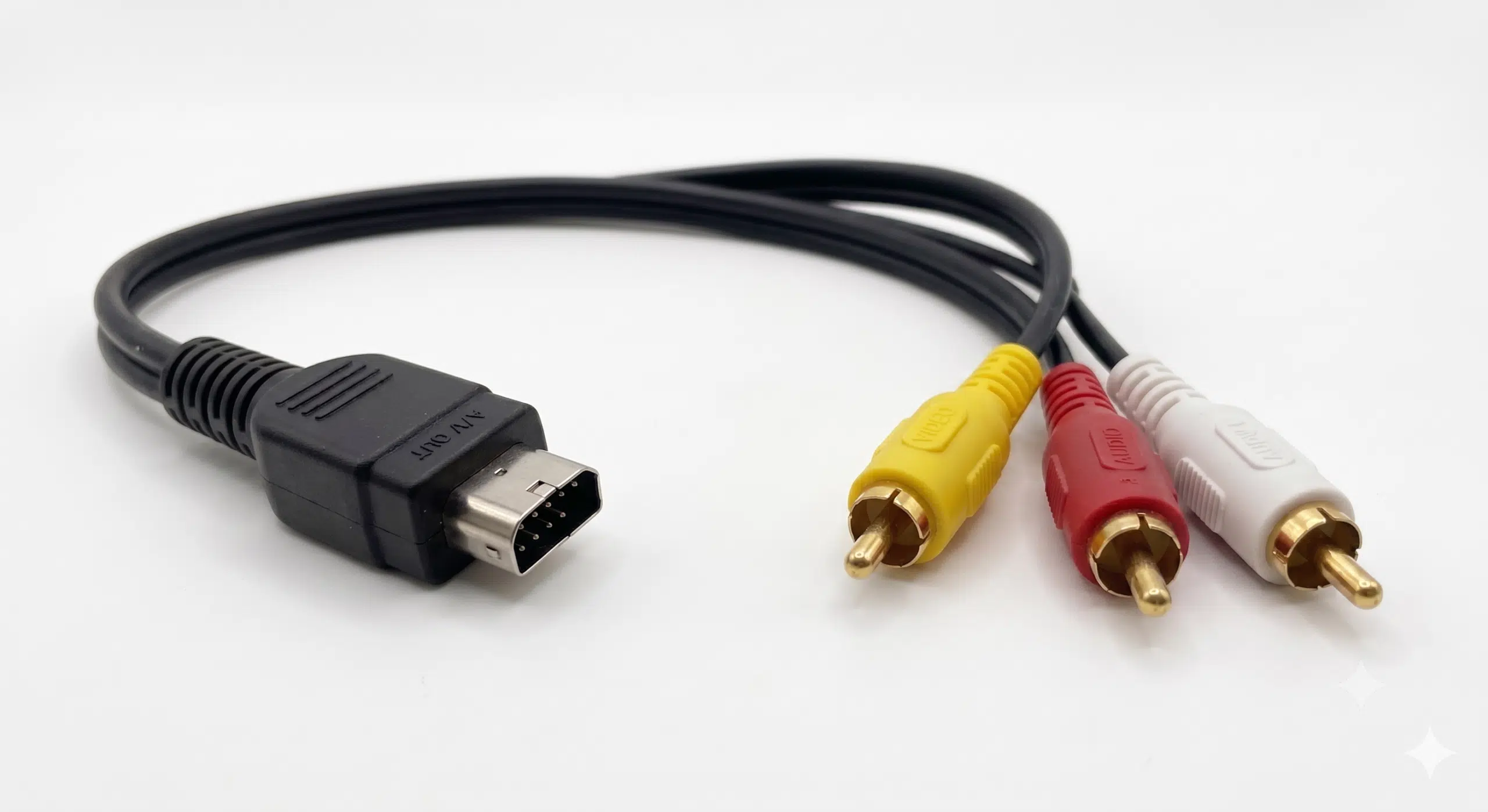
Standard AV cables have a specific integrated plug on one end, and split into three distinct colored plugs on the other: yellow, red, and white.
The yellow and red plugs carry the left and right analog sound channels, while the white plug focuses entirely on sending the video signal.
This color-coded system is great because you can’t really mess up the installation. However, when you step up to modern 4K or 8K setups, these old wires just don’t have enough bandwidth to handle the high-quality AV input and AV output demands.
If AV cables are built poorly and their internal structure isn’t perfectly balanced, weak analog signals will leak out over long distances. WIRES tests the electromagnetic fields with special software before production to make sure our custom AV cables are 100% leak-proof.
Using a “one-size-fits-all” approach with off-the-shelf wires is a huge gamble for big projects. Different AV cables have very different signal losses, shielding abilities, and manufacturing challenges.
This is the classic red, yellow, and white cable configuration from 1940. It was the standard for old TV boxes and DVD players running standard-definition AV output signals.
The Perks: They are incredibly simple, super cheap to make, and everyone knows how to plug them in.
The Challenge: When you pack multiple analog signals tightly together, they easily bleed into each other (crosstalk). They also lose signal quality quickly over long distances, which is why the factory must use excellent sealing and strain-relief techniques at the joints.
S-Video takes the video signal and splits it into two separate paths inside the wire: one for color and one for brightness.
The Perks: Because these signals don’t get in each other’s way, the picture is much sharper with way less ghosting. They can easily run over 60 meters without losing quality, giving you a much cleaner AV input compared to standard composite lines.
The Challenge: The pins inside the connector are tiny (usually 4 or 7 pins) and packed very close together. It requires ultra-precise microscope welding and top-notch internal shielding for each wire pair.
Commonly called RF cables, these are the tough, thick wires used everywhere in the cable TV and digital box industry.
The Perks: They have a perfectly round, shielded inside environment that blocks outside radio interference like a brick wall. They are ideal for outdoor runs or pulling through walls.
The Challenge: The inner plastic foam insulation must be incredibly uniform during manufacturing. If the foam isn’t perfect, the signal gets bumpy. Also, the outer metal mesh must connect tightly to the plug frame to avoid any electromagnetic leaks.
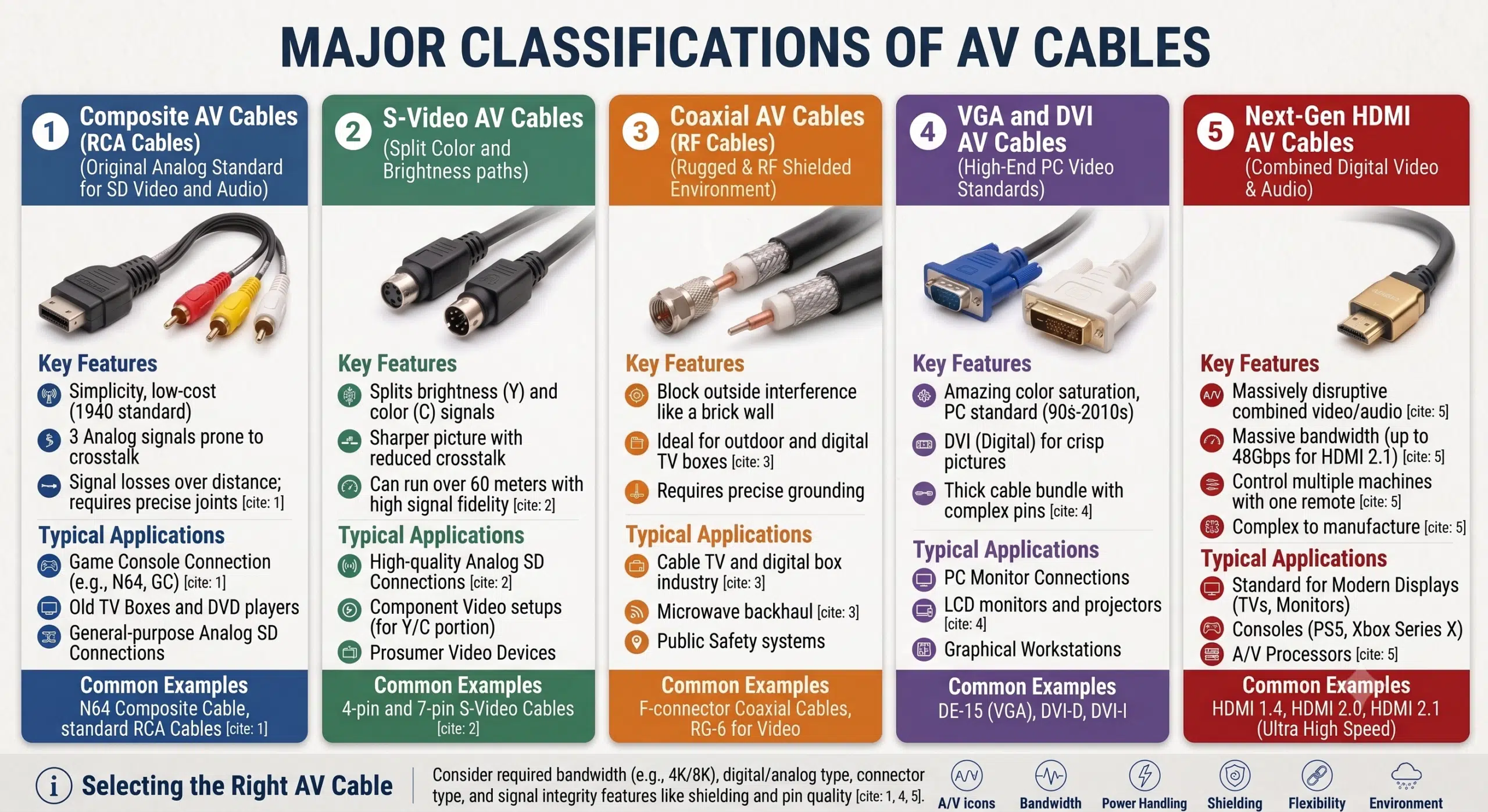
DVI is a pure digital video connection made to send crisp pictures to LCD monitors or projectors, while VGA is the older analog counterpart.
The Perks: They offer amazing color saturation and were the go-to for high-end graphic workstations from the 90s to the 2010s.
The Challenge: DVI connectors have a massive cluster of pins, making the wire bundle quite thick. Because digital signals can suddenly black out if they drop too much power over long runs, we have to keep the insulation properties and cable roundness absolutely perfect.
HDMI changed the game by combining high-speed digital video and multi-channel audio into one single wire.
The Perks: It has massive data bandwidth (up to 48Gbps for HDMI 2.1), plays nice with older systems, and lets you control multiple machines with just one remote.
The Challenge: Because it does so much, it is incredibly difficult to manufacture. The 19 pins are microscopic. With high-frequency signals, any tiny bit of bad soldering or extra solder will ruin the connection. That’s why we use laser stripping and high-end microscope welding.
The chart below shows the technical features and core parameter comparisons for modern digital HDMI AV cables:
| Cable Standard Version | Max Allowed Bandwidth | Core Supported Resolution & Refresh Rate | Typical Application Scenarios |
| Standard HDMI Cable | 5 Gbps | Up to 1080i / 720p formats | Early digital TV boxes, car video screens |
| High Speed HDMI Cable | 10.2 Gbps | 4K @ 30Hz / 1080p 3D | Home Blu-ray players, office PC monitors |
| Premium High Speed HDMI | 18 Gbps | 4K @ 60Hz / HDR color space | HD TV systems, main consoles, media hubs |
| Ultra High Speed HDMI | 48 Gbps | 8K @ 60Hz / 10K resolution | High-refresh gaming monitors, data centers |
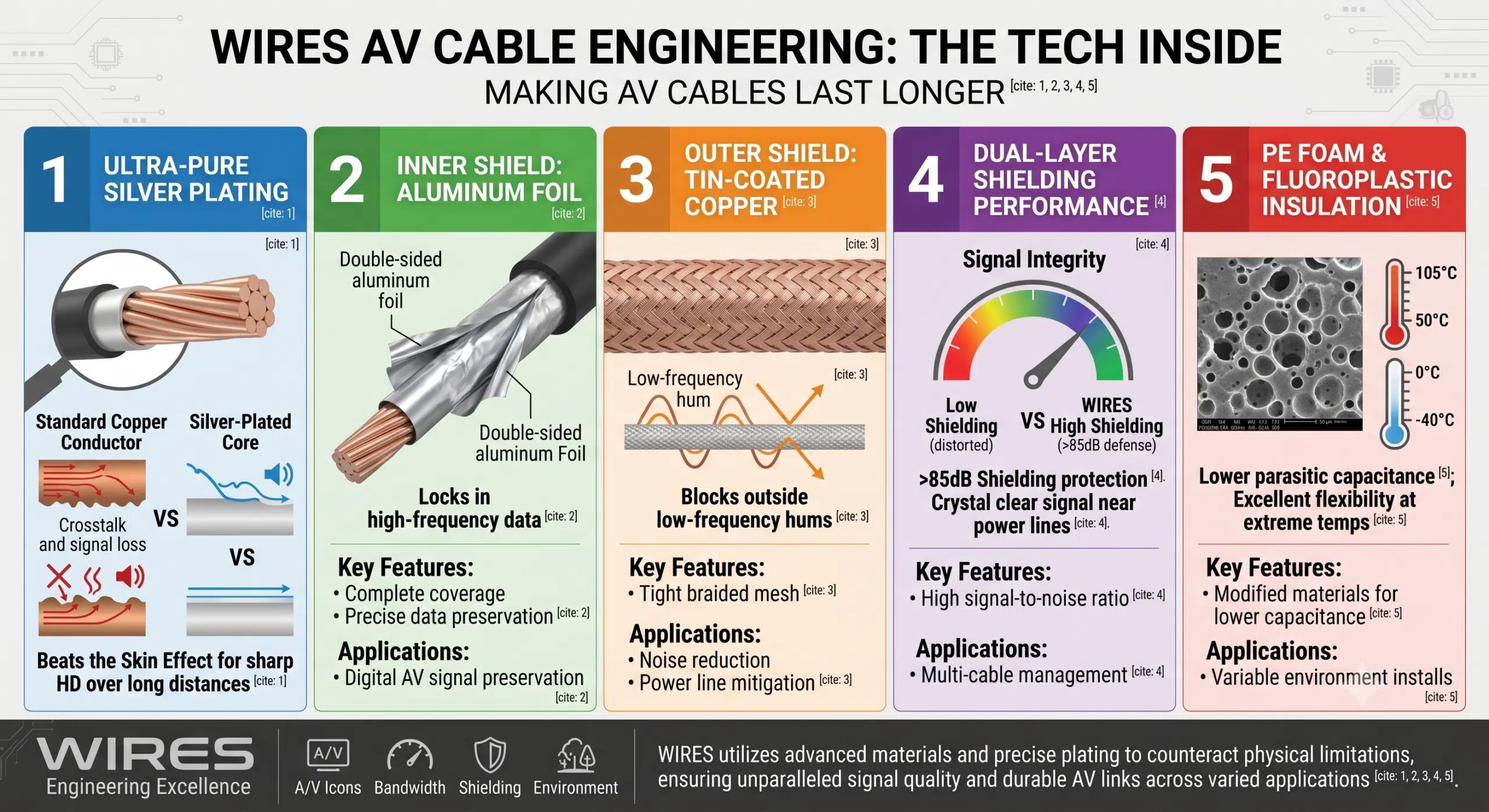
When digital signals speed up to high frequencies, the electrical current actually stops flowing through the middle of the wire and crowds onto the very outside surface. This is called the Skin Effect.
If the surface of the copper wire isn’t perfectly smooth or pure, the signal will suffer massive drops by the time it travels from the AV output side to the AV input side.
To beat this issue, WIRES plates our high-purity copper cores with a precise layer of pure silver. Since silver has almost zero surface resistance, it keeps your high-definition video lines incredibly sharp over long distances.
For shielding, we use a two-layer defense system:
Inner Layer: Double-sided aluminum foil to lock in high-frequency data.
Outer Layer: A tight, braided tin-coated copper mesh to block outside low-frequency hums.
This combo gives you over 85dB of shielding protection. Even if our cables run right next to heavy-duty power lines, your signal stays crystal clear.
Unlike standard insulation materials, we use foamed PE and special fluoroplastics during production. These modified materials keep the parasitic capacitance of AV cables lower while maintaining excellent flexibility from -40°C to high temperatures up to 105°C.
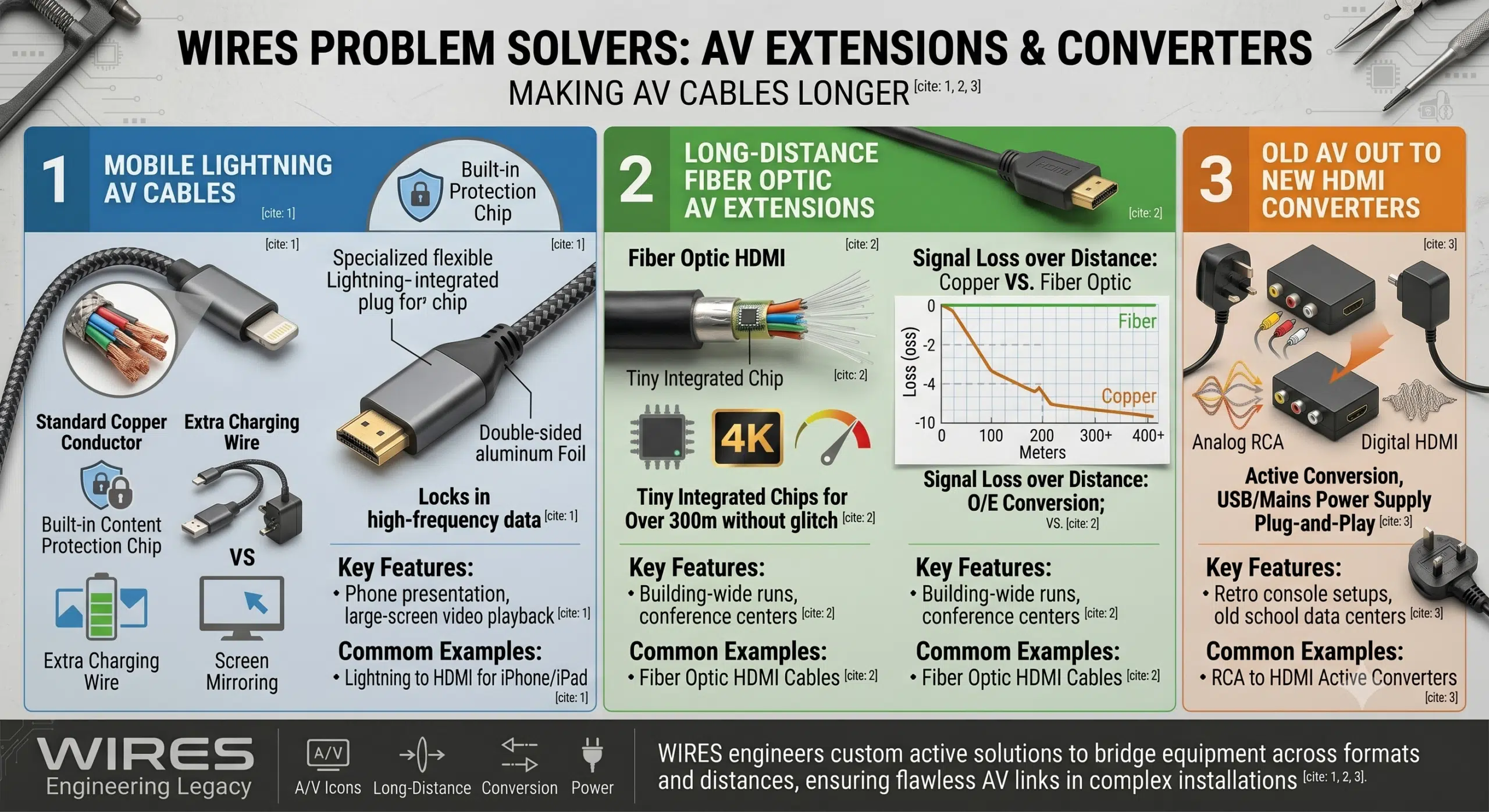
Real-world installations always bring headaches—like trying to connect an old machine to a new monitor, or running wires across an entire building. Off-the-shelf cables won’t work here; you need active, engineered solutions.
For phone users, these lightweight AV cables let you instantly mirror your iPhone or iPad screen onto a giant TV. They feature a built-in content protection chip for a smooth AV input experience on the display, plus an extra charging wire so your phone doesn’t die mid-presentation.
If you try to piece together regular copper extension cords for long runs, the signal bounces around at the joints, causing a total blackout.
For anything long-distance, we highly recommend Fiber Optic HDMI cables. They use tiny computer chips inside the plugs to turn electrical data into light signals.
These fiber AV cables can send flawless 4K video over 300 meters without a single glitch, completely smashing the limits of traditional copper wires.
Many schools and older data centers still use old-school equipment with RCA outputs. To get that analog AV output onto a new HDMI display, you need an active converter box with a power supply. You just plug the old three-color wire into the input box, run an HDMI wire out to the TV’s AV input port, and you are good to go.
At WIRES, we believe premium AV cables aren’t just about buying expensive raw materials—it is all about precision manufacturing and strict testing. China has the most robust wire harness supply chain in the world, and WIRES is the leader when it comes to industrial reliability.
When working with micro-connectors that have tiny 0.4mm pin gaps, traditional hand tools will easily nick the delicate copper wire inside. We use automated laser stripping machines that cleanly cut the insulation using heat, without ever touching the metal core, ensuring the finished AV cables have clean cuts and perfect wire cores.
Our team works under high-magnification microscopes with temperature-controlled soldering irons to ensure zero weak welds. To make sure the joints never snap under heavy vibration, we use low-pressure overmolding.
We inject high-strength resin around the welded joints to lock the wires and pins into one solid piece. This creates a smooth, heavy-duty strain relief boot that can easily survive dozens of kilograms of pulling force while giving the wire an IP67 waterproof rating.
Finally, we don’t do random spot checks. Every single finished AV cable must pass a 100% automated electrical run through our testing machines before it gets packed.
Whether you are working in commercial media, industrial factories, or automotive wiring, you cannot afford to skimp on your media lines.
Custom, well-engineered AV cables that use proper materials and precise manufacturing aren’t just regular accessories—they are the lifeblood that keeps your high-end hardware running smoothly.
Knowing the exact path from your AV output to your AV input is the only real way to stop screen flickers and signal drops before they happen.
Don’t waste time and money troubleshooting cheap, unreliable stock wires at the project site. Choose industrial-grade, custom AV cables that solve the issue once and for all.
Click the “Get Engineering Solution” to send your frequencies, layout requirements, or blueprints to our tech center. Our senior engineering managers will give you a free project review and a custom wholesale quote within 24 hours!
Enjoy a free sample worth up to $100!
Explore our custom services now. Leave your email, and we'll get intouch!
 English English
 Vietnamese
 Indonesian
 Arabic
 Spanish